Video recordings
The explanation, with its context.
Record a display with microphone and system audio. Search the finished recording for screen text or spoken words, then jump to the matching moment.
Explore screen recordingWorkflow capture for Windows
Record now. Find it later.
Keep the details from troubleshooting, meetings, and setups. Return to the moment you need. Document the work when you're done.
Keep the work, not just the memory
Record the full explanation, or build instructions someone can follow at their own pace.
Record a display with microphone and system audio. Search the finished recording for screen text or spoken words, then jump to the matching moment.
Explore screen recordingCapture screenshots as you click through a task. Edit the titles and descriptions, annotate or blur images, then export a guide in HTML, Markdown, or Word.
Explore step guidesThe actual workflow
Filmed before the StepNDEX rebrand; the earlier name appears in the demo.
When the work is finished
Keep recordings organized, return to a useful moment, and share only what matters.
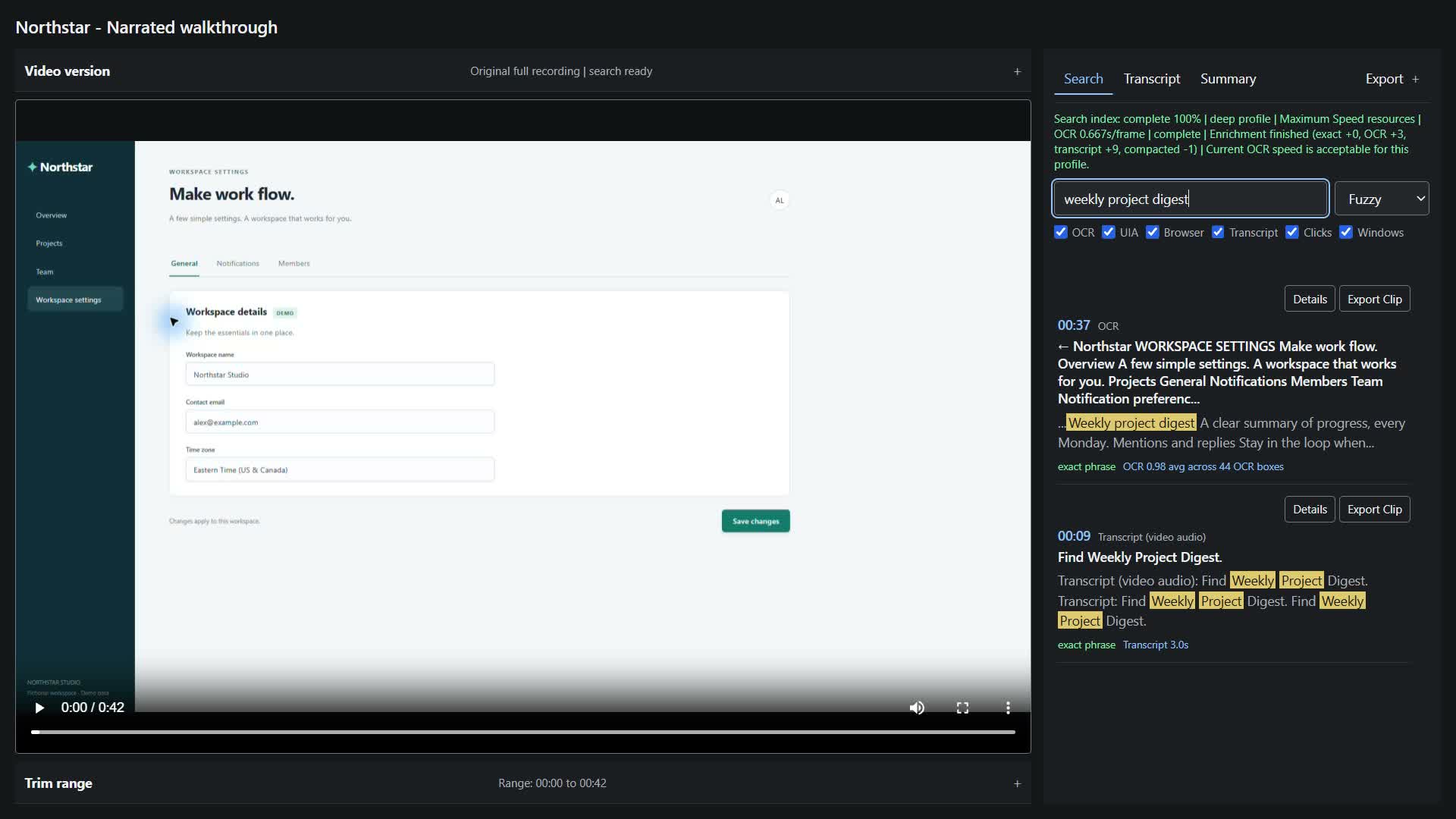
Use exact, fuzzy, or semantic search across available screen text and transcripts. Select a timestamp to return to the video.
Video searchName recordings, arrange them in groups, and bring existing videos into the local library.
Your libraryExport a focused clip, a timestamped transcript, or an editable screenshot guide. Review the content before sharing.
Clips & exportsRecording, OCR, transcription, search, and optional summaries run locally. Model files may need an initial download.
How local processing worksBuilt from the day-to-day
I'm Tristan, an infrastructure engineer. I built StepNDEX to keep the context while I work, so I can document the process afterward.
Why I built StepNDEXExplore the demo and documentation. Public purchases are not open yet.